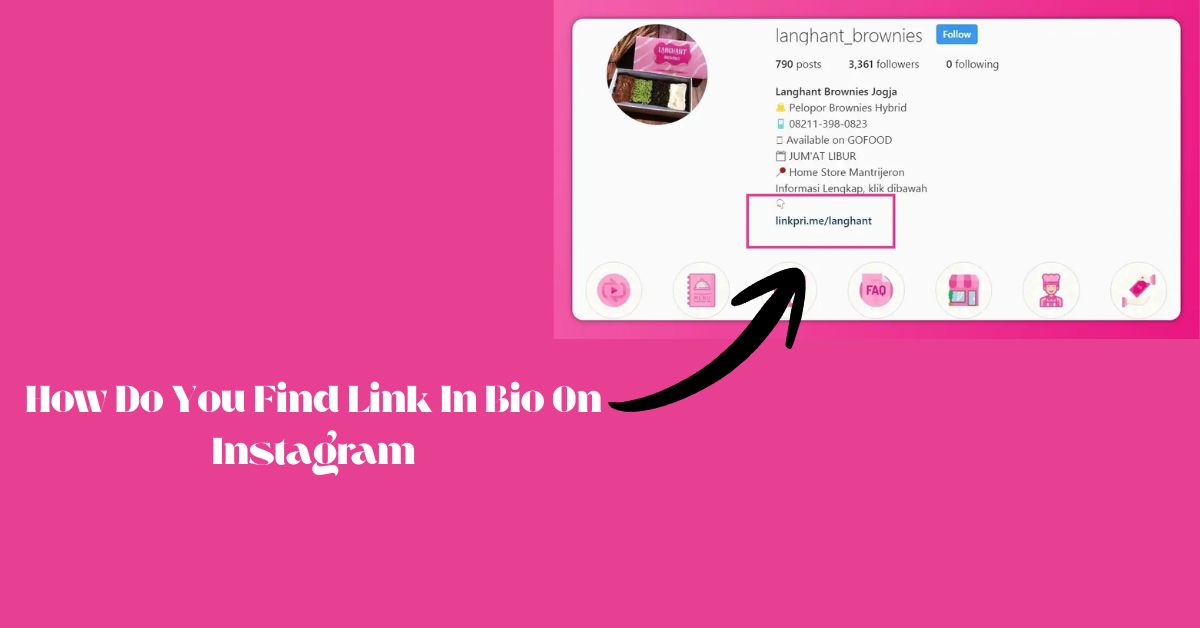
Instagram’s link in bio feature remains one of the platform’s most sought-after navigation tools, yet millions of users struggle to locate these clickable pathways daily.
Whether you’re hunting for a creator’s latest content, exploring business offerings, or simply trying to access external resources, mastering Instagram bio link discovery can dramatically enhance your social media experience.
This comprehensive guide will transform you from a confused clicker into a bio link navigation expert.
Step-by-Step Methods to Locate Link In Bio on Instagram
Finding Bio Links on Mobile Devices (iOS & Android)
Navigate to any Instagram profile by tapping the username or profile picture from posts, stories, or search results. Once on the profile page, scroll down to the bio section located immediately below the follow/message buttons. Look for blue-colored text or underlined phrases that indicate clickable links.
On iOS devices, these links often appear with a subtle blue tint, while Android users typically see underlined text formatting.
Troubleshooting inactive links requires checking your internet connection first, as poor connectivity can prevent link recognition. If links appear non-clickable, try refreshing the profile by pulling down on the screen or closing and reopening the Instagram app.
Sometimes app updates temporarily affect link functionality, requiring users to update their Instagram application through their device’s app store.
Desktop Link Discovery Techniques
Browser-based Instagram navigation offers different visual cues for bio link identification. Desktop users can access Instagram through web browsers by visiting instagram.com and navigating to specific profiles. Bio links on desktop platforms typically appear as traditional blue hyperlinks with underlined text, making them more recognizable than mobile versions.
Keyboard shortcuts can accelerate desktop navigation: use Ctrl+F (Windows) or Cmd+F (Mac) to search for common link indicators like “http,” “www,” or “.com” within profile pages. Right-clicking on suspected links reveals context menus that confirm clickable status, while hovering over links displays destination URLs in your browser’s status bar.
Third-Party Apps and Tools for Link Detection
LinkTree and similar aggregators have revolutionized bio link management by allowing users to create single URLs that house multiple destinations. These tools appear as standard bio links but expand into comprehensive link directories when clicked. Popular alternatives include Linktree, Bio.fm, Campsite, and Lnk.Bio, each offering unique customization options and analytics capabilities.
Instagram analytics tools like Hootsuite, Buffer, and Sprout Social provide enhanced link tracking capabilities for business users. These platforms monitor bio link performance, click-through rates, and conversion metrics, helping users optimize their link strategies based on audience behavior patterns.
Related Post: How Do You Make a Bio On Instagram/ 2025
Advanced Strategies for Different User Scenarios
Business Owners Seeking Competitor Bio Links
Ethical competitor research begins with systematic profile analysis of industry leaders and direct competitors. Document competitor bio link strategies, including link text variations, destination types, and update frequencies. This intelligence helps identify market gaps and successful link positioning tactics within your industry niche.
Tracking competitor link changes requires consistent monitoring schedules and documentation systems. Create spreadsheets recording competitor bio links, noting changes in messaging, destinations, and promotional focuses. Tools like Socialbakers and Brandwatch offer automated competitor tracking features that alert users to bio link modifications across multiple Instagram accounts.
Content Creators and Influencers
Maximizing bio link discovery potential involves strategic link placement and clear call-to-action language. Use action-oriented phrases like “Shop Now,” “Get Free Guide,” or “Book Consultation” to encourage clicks. Position your most important link prominently while using tools like Linktree to accommodate multiple destinations without overwhelming your audience.
A/B testing bio link strategies provides data-driven insights into audience preferences and conversion optimization. Test different link texts, destinations, and placement strategies over specific time periods. Monitor Instagram Insights to track profile visits and external link clicks, correlating these metrics with your bio link variations to identify top-performing approaches.
Regular Users and Social Media Enthusiasts
Bookmark strategies for frequently visited bio links streamline your Instagram browsing experience. Create browser bookmarks for creator stores, blogs, or resources you access regularly through Instagram bios. Mobile users can add bio link destinations to their device’s home screen for instant access without navigating through Instagram profiles.
Privacy considerations demand caution when clicking unknown bio links, especially from unfamiliar accounts. Verify account authenticity before clicking external links, and avoid entering personal information on unfamiliar websites accessed through Instagram bios. Use URL preview tools like URLVoid or VirusTotal to check suspicious links before clicking.
More Post: How to Add Athlete to Instagram Bio
Common Obstacles and Solutions
Technical Glitches That Hide Bio Links
App update issues frequently affect bio link visibility, particularly during major Instagram interface changes. When links appear non-functional, check your app store for pending Instagram updates. Outdated app versions may not properly render bio links, causing them to appear as plain text rather than clickable elements.
Network connectivity problems can mask clickable links by preventing proper page loading. Test your internet connection by accessing other websites or apps. If connectivity issues persist, switch between WiFi and cellular data to determine if network-specific problems affect bio link functionality.
User Error Prevention
Distinguishing between @mentions and actual links prevents clicking frustration and wasted time. @mentions appear in blue text but direct users to other Instagram profiles rather than external websites. Actual bio links typically contain “http,” “www,” or recognizable domain extensions like “.com” or “.org.”Avoiding fake links requires vigilance and account verification practices.
Legitimate businesses and creators typically use verified accounts (blue checkmarks) or established profiles with consistent posting histories. Be cautious of shortened URLs from unknown accounts, as these may redirect to malicious websites or phishing attempts.

Passionate about crafting catchy, bold, and creative Instagram bios that make profiles stand out and spark instant connection.